Draconia

Is Draconia down?

0new reports
0reports on the chart

What issue are you having?

No new reports about Draconia.

Reports for Draconia over time

How to check whether Draconia is down

The chart has no reports for the period shown. If the error keeps happening, share the time and symptoms in the discussions so other players can compare.

High ping or disconnects in Draconia

Report lag if your actions are delayed while you stay connected. Report a connection problem if you can’t join a server. If the session starts and the connection drops later, report a disconnect.

If the error happens on one server, find it under Servers and check its availability.

Downloads, launch and sign-in for Draconia

If a download stops, check the download queue and available storage on your device. Use the form to report a download, installation or launch problem. If the game or app opens and you can’t access your account, report a sign-in issue.

To report a problem, choose a reason above. You can select several reasons. The chart counts them as one report.

Player posts

Draconia
0 / 5,000
News

Draconia patch 0.5.6.4 adds Halloween decor and NPC nameplates

Draconia's Patch 0.5.6.4, published October 16, 2026, adds Halloween decorations to spawn and Athyne, a “Corrupted” head accessory for the European dragon, Wyvern and Lindworm, and NPC nameplates. The update also expands quest and crafting tooltips, adds scent trails that reveal NPC and enemy positions, and raises the voice chat volume ceiling to 200%.

Halloween cosmetics, nameplates and scent trails

  • The “Corrupted” head accessory is now available for the European dragon, Wyvern and Lindworm.
  • Halloween decorations have been added to spawn and Athyne.
  • NPC nameplates are in.
  • Scent trails now show where NPCs and enemies are. Colors: green for food, red for enemies, orange for NPCs.
  • The map now includes a location indicator for “Merel's Waterskin.”
  • Region names are now supported.
  • A fail-safe now forces breath VFX removal from breath attacks to avoid soft-locking until the ability is used again.

Quest and crafting UI

  • Quest info now shows item thumbnails and tooltips for three task types: fetch item, craft item and deliver item.
  • Harvest quest tasks show a preview of the objects that must be harvested in the quest description.
  • Crafting recipe location and level requirements now appear red or green depending on whether the requirements are met.
  • Crafting recipes show item tooltips when materials are moused over.
  • Delivery quest tasks now properly show the “?” marker when the player has the required items in their inventory.
  • Quests do not get tracked at all if auto-tracking is turned off.
  • Quest marker logic has been refactored.

Voice chat, controls and world changes

  • Voice chat falloff range has been increased.
  • Voice chat volume can now be adjusted from 0–200% instead of 0–100%.
  • Chat can no longer be activated while the player list UI is active, avoiding soft locks.
  • Input mode between game and UI is more reliable.
  • Head rotation is enabled while resting.
  • Island 2 center has been updated; it remains heavy work in progress.
  • Broken Shores North and South spawn points have been swapped.
  • Gamepad vs keyboard/mouse input detection and gamepad cursor control code have been refactored.
  • Most replicated variables and states have been refactored.

Fixes

  • Harvestables now allow interactions only when the player is moving on the ground by default.
  • Fixed a typo on the compass texture.
  • Fixed a burn effect VFX glitch.
  • Fixed nameplate settings not being saved.
  • Fixed the missing voice chat indicator from the character UI.
174
News

Draconia's 0.5.5.5 patch adds tutorial NPCs before Unreal Engine 5.8 pause

Patch 0.5.5.5 is out now, and it will be the last Draconia update for a little while: the game is being upgraded to Unreal Engine 5.8. Regular updates return once the transition is complete and any potential issues are ironed out — and any bugs that sneaked in with this patch will be fixed when uploads resume.

Tutorial NPCs replace the old pop-ups

The headline addition is a set of tutorial NPCs covering growth, combat, health, items, inventory, crafting and more. They can all be found in the spawn village, and each gives players additional quests.

The tutorials that popped up after spawning in for the first time have been removed, since the NPCs now fill that role.

Soulbound loot and clan building changes

  • Soulbound item support: these items can only be seen and looted by players who fulfil certain requirements, such as having a specific active quest.
  • Large Pool and Large Hoards can now be crafted and placed on user level. If you don't want regular clan members to build these things, update your clan permissions accordingly.
  • Large Pools have a reduced minimum scale.
  • Clan crafting recipes now show a small tool tip when a player doesn't have the required rank.

Gathering and dragon turtle buffs

  • Slightly more items can drop from dead dragon turtles, and tallow, dragon turtle scale and meat loot amounts for killing them are increased.
  • Piles of Meat give slightly more items when harvested, with an increased drop rate for uncommon and rare items.
  • Dragon turtle scale size increased, scale textures optimized and scale collision fixed.
  • More Viridite nodes added until caves are more developed, and Viridite Cluster collision improved.
  • More tree stumps added, with a reduced respawn timer.

Settings, movement and combat tweaks

  • "Auto-track new quests" added to UI/Quest settings: turned on, new quests are automatically added to the main screen; turned off, the system only auto-tracks new quests when nothing is currently being tracked.
  • "Enable dash and dive effects" added to gameplay settings, disabling screen shake and post-process effects.
  • Very simple character hiding logic for characters using the new movement system hides your character when the camera clips into it.
  • Basic walking slope angle IK added to the new animation system.
  • Elemental hit sfx added, and Ka'sai talking sfx increased.
  • Player melee range adjusted; falling terminal velocity updated for Euro, Wyvern and Dragon turtle; dragon turtle camera location settings and Euro's head IK settings updated.
  • Diseases are no longer removed when logging out.
  • Dash screen effects and camera shake are disabled when entering photo mode.
  • Characters now use calls when sending and answering carry requests.
  • Teleyni's quest description now includes the location where the quest was accepted; Zenwyr's quests ask for a smaller amount of seed but also give less XP.

Fixes

Fixed: carry for mover characters, tap/hold prefix text not showing on the keybinding UI, dash being blocked by other ability cooldowns, compass texture, jump not working with gamepads, Euro head and neck attachment weight paint issues, multiple drop options in the inventory right-click context menu, dragon turtle scale collision, volcanic turtle and fire elementals applying shadow debuffs, breath ability vfx/sfx being instantly removed when the ability ends, and dragon turtle name not showing in the character list.

Gamepad cursor movement is temporarily fixed — it works, but a better solution is needed in the future.

Known issues

Carried characters can end up off-position or off-rotation; this will be adjusted in the future and is low priority at the moment. When a flying character carries another player, that player might seem to "lag behind" — something that can't be fixed entirely, since it depends on the latency of the player doing the carrying.

Ko-fi goals are live

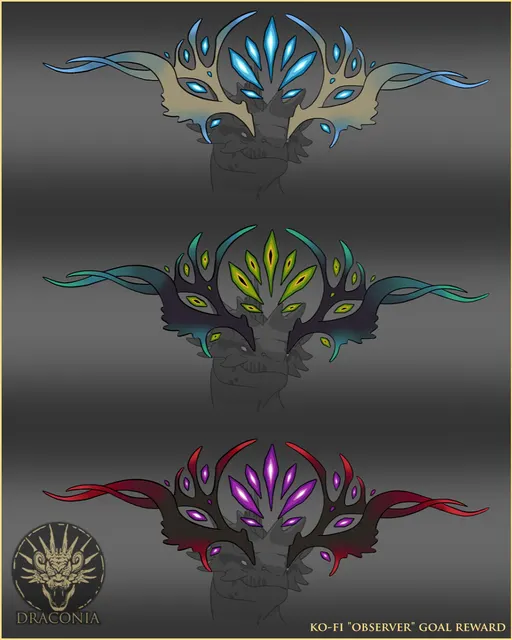
Draconia has started launching Ko-fi goals that help raise additional funding for the game, and reaching them comes with additional non-exclusive cosmetic rewards. More information on the goals and how they work is in the goal description: https://ko-fi.com/draconiagame/goal?g=0

Image 1
405
News

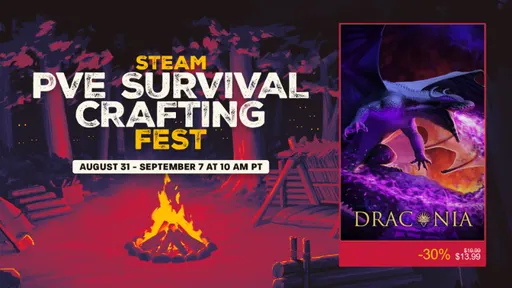
Draconia takes 30% off for Steam PvE Survival Crafting Fest

Draconia is now 30% off on Steam as part of the PvE Survival Crafting Fest. The discount started today, August 31, and runs until September 7.

Image 1
598
News

Draconia Hotfix 0.5.5.4 lets you clear quest items and stops loot from sinking

Draconia's latest hotfix, version 0.5.5.4, is out now with three targeted changes:

  • Unique quest items can now be destroyed via the right-click context menu.
  • Enemy loot placement has been improved to prevent items from falling through the landscape; the developers are asking for player feedback on this fix.
  • The enemy AI's dragon turtle physics asset has been fixed.
592
News

Draconia hotfix 0.5.5.3 improves networking and dragon physics

Draconia's hotfix 0.5.5.3 is live, raising networking rates and reducing how much light sources affect volumetric lights. The Luxmatres leaf item type has also been updated.

Fixes

  • European Dragon tail fin attachment weight painting
  • Minor landscape errors
  • Minor NPC dialogue errors
  • Log spam

Optimizations

  • Blueprint ticks
  • Player dragon turtle physics asset
  • Minor general optimization pass
573
Show all