Дорогой админ ,обнови пожалуйста версию сервера она не совпадает с версией игры так как было обновление
1,235

No new reports about Space Engineers.
The chart has no reports for the period shown. If the error keeps happening, share the time and symptoms in the discussions so other players can compare.
Report lag if your actions are delayed while you stay connected. Report a connection problem if you can’t join a server. If the session starts and the connection drops later, report a disconnect.
If the error happens on one server, find it under Servers and check its availability.
If a download stops, check the download queue and available storage on your device. Use the form to report a download, installation or launch problem. If the game or app opens and you can’t access your account, report a sign-in issue.
To report a problem, choose a reason above. You can select several reasons. The chart counts them as one report.
Дорогой админ ,обнови пожалуйста версию сервера она не совпадает с версией игры так как было обновление

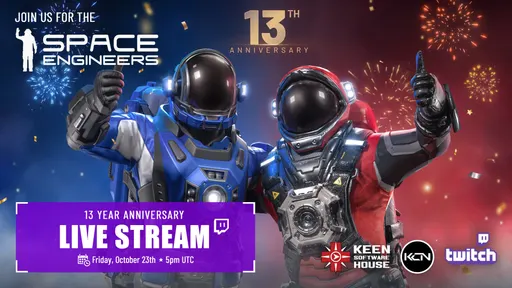
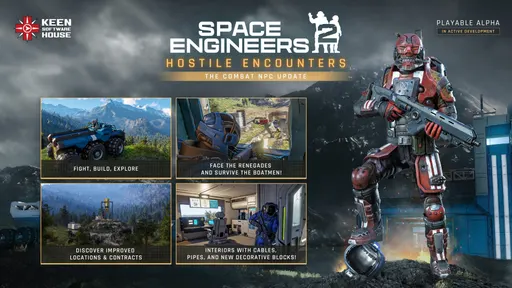
Space Engineers’ 13th anniversary celebration is set for Friday, October 23, at 5 PM UTC, with streams on Twitch and YouTube and a promised surprise gift. Hostile Encounters has also arrived in Space Engineers 2, bringing Combat NPCs to the sequel for the first time.
Players will face the Renegades and the heavier Boatmen. These enemies can patrol, take cover, react to damage, communicate threats, and fight both players and their creations. Watch the Hostile Encounters trailer.
The update expands the Almagest System with improved Locations and Contracts, overhauled ores, new Verdure flora, updated lighting, new combat effects, and new building blocks including Cables, Pipes, Armor Slabs, Interior Turrets, and decorative props. More details are on the Space Engineers 2 Steam page.
Links: Feedback & Support · Discord · Newsletter · Community Hub · Connect

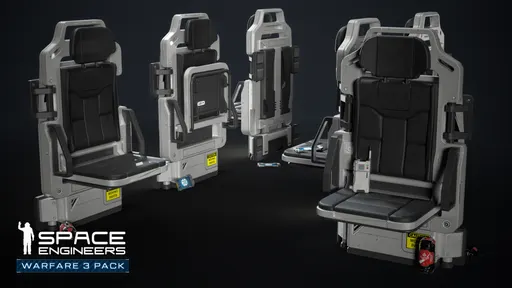
Space Engineers' Warfare 3 will add a new functional block called the Separation Charge, Lead Designer Ryan Keel has revealed. It is coming in the free game update, and the Warfare 3 Pack is available to wishlist on Steam now. Keel detailed the block in a new interview following the Warfare 3 reveal.
The block can destroy itself on command with a controlled explosion that does not damage anything it is touching. Before it destroys itself, it fires a series of actions, so whatever players set up is triggered first. That action sequence is the powerful part, Keel says, and opens uses including missiles, mines, splitting a grid off a projector, and multi-stage rocket systems.
It is built for breakaway torpedoes and similar setups without needing a subgrid such as a hinge or rotor. It uses a fraction of the PCU, and fuel and items can pass through its conveyor. Keel says it has huge potential for combat and non-combat applications, and he can’t wait to see what players create. There are video examples and another demo.
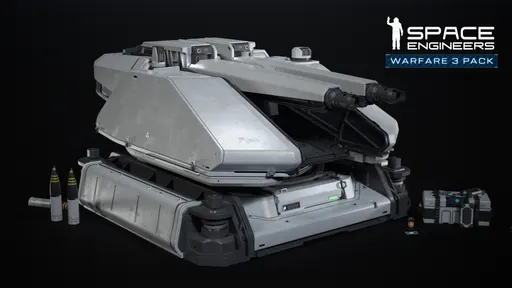
The Warfare 3 reveal also included the Autocannon Turret Type II (1x S). It is a small turret described as compact, rugged, and full of attitude, giving light combat builds a tougher, more intimidating look. A preview is available.
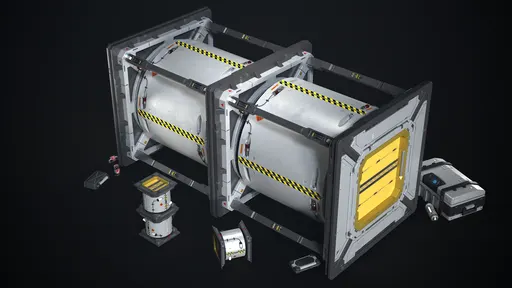
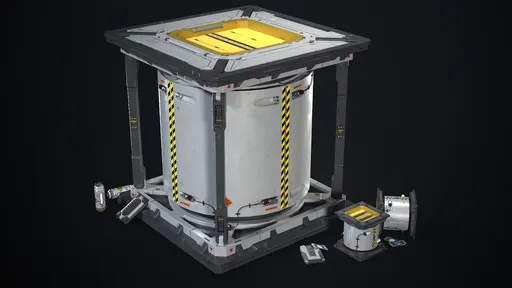
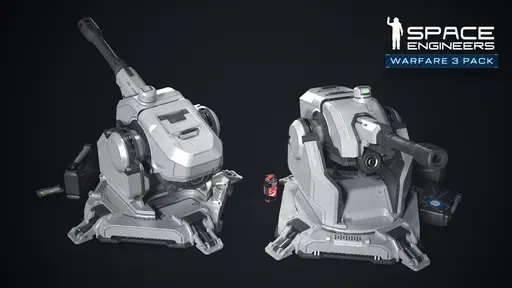
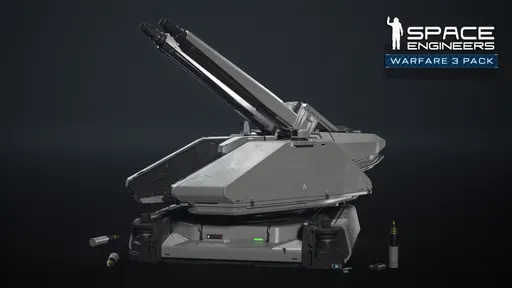
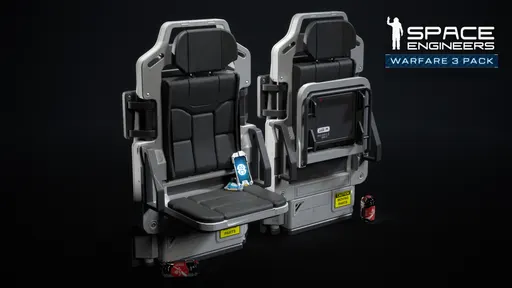
Space Engineers' free game update adds guided missiles, torpedoes, ammo switching, and subsystem targeting. The Warfare 3 Pack is wishlistable on Steam now. The Warfare 3 reveal also includes the Artillery Turret Type II and Jump Seat.
Missiles are a more expensive variant of traditional dumb-fire rockets. They use active guidance to pursue locked targets with speed and precision, and their high maneuverability makes them especially effective against fast-moving, evasive targets.
Torpedoes are slow and heavy but hit hard. The standard torpedo is a jack-of-all-trades with decent firepower and maneuverability without excelling in any one area. Other variants include slower high-damage torpedoes, fast-seeking torpedoes with lighter payloads, and heavy anti-armor torpedoes that punch through enemy armor before exploding. The right ammunition may depend on the target.
Torpedoes require Torpedo Launcher blocks. They are available for large and small grids, but they are bulky and take up significant space, so fitting them into a ship requires planning around the grid's layout and infrastructure. Small-grid launchers do not have conveyor access and must be loaded manually; large-grid variants can connect to the conveyor system. Because torpedoes can seek locked targets after launch, the launcher does not always need to point directly at the enemy, making placement more flexible than other weapon types.
Weapons that support multiple ammunition types now let players choose what is loaded. An ammo type can be selected from the weapon's control panel, cycled through from the toolbar, or left on Any so the weapon pulls from whatever compatible ammunition is available. Changing the selected ammo type does not immediately replace ammunition already loaded: the weapon keeps using its current ammo until it is fired or reloaded. New actions let players forcibly unload it and begin loading the newly selected type. This makes switching specialized ammunition easier on the fly, especially for torpedo launchers, where different ammo types may suit different targets.
Self-guided missiles and torpedoes require a target lock before they can be fired, and the current target is passed directly to the projectile's guidance system. Each launcher can also be set to target a specific subsystem. By default, guided weapons seek any applicable subsystem, but players can narrow their focus to things like weapons, propulsion, or power.
The Artillery Turret Type II (1x L) is built for heavy engagements and distant targets, giving a warship serious presence. Fold it down and strap in: the Jump Seat (3xL, 1xS) is a compact passenger seat perfect for dropships, tight interiors, and utility craft.
More: Support, Discord, Newsletter, Community Hub, Connect.
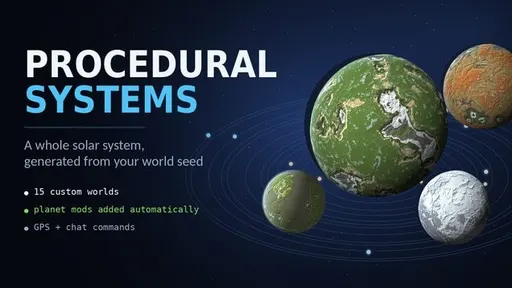
The August 2026 Space Engineers Community Spotlight covers Workshop picks for planet-scale terraforming, seeded solar systems, laser combat, mech and train builders, automation, and Timer Block computers.
Also featured are Creator Spotlights on Kev (Skyblock Scenario, VTS Voxel Teleport System, Power Cell Discharger) and CHKNFRYRMN (CCWC 2.0 rover script, Monza Race Track, Cyberpunk City).